 XP TRACKER
Habit tracker spreadsheet maker
Type your habits, pick a start date and a length, and download a CSV file with one row per habit and one column per day. It opens in Google Sheets, Excel or Numbers, and the totals and percentage columns count your ticks as you fill them in.

Make your spreadsheet
What's in the file
With the default layout, row 1 holds the dates, each habit gets its own row, and one cell is one day. If you keep the formulas, each habit row ends with two extra columns:
- Total:
=COUNTA(B2:AE2), the number of days with anything typed in them. - % done:
=INT(100*COUNTA(B2:AE2)/30), the share of days done, rounded down to a whole percentage.
The "done that day" row at the bottom counts how many habits you finished on each date, so you can see your strongest and weakest days of the week at a glance. The ranges in the file match your own number of habits and days.
The formulas use only COUNTA and INT, which exist under those names in English versions of Google Sheets, Excel and Numbers, and need no argument separators. Google Sheets usually accepts the English names whatever language it is set to. If your spreadsheet app is set to another language and the formulas show as plain text, untick the formulas and add a count yourself.

Tips for tracking habits in a spreadsheet
- Put it on your phone's home screen. A spreadsheet you only see at your desk gets filled in from memory on Friday. Open the Google Sheets or Excel app and pin the file, or add a shortcut.
- Use the days-as-rows layout on a phone. Scrolling down is easier than scrolling sideways, and today's row is always one swipe away.
- Colour filled cells. Conditional formatting that turns any non-empty cell green makes the streaks visible. In Google Sheets it's under Format, then Conditional formatting, "Is not empty".
- Review once a month. Sort by the % done column. The habit at the bottom is either too big or at the wrong time of day. The monthly habit review walks through what to change.
Limits
A CSV holds plain text and numbers only. Colours, checkboxes and column widths you add later are lost if you save it as CSV again, so save it in your spreadsheet app's own format after the first edit. Nothing you type here leaves your browser: the file is built on your device. For other ways to keep track, from a paper grid to an app, read how to track habits. To print your habits instead, use the custom habit tracker maker.
Start today
Download a 30-day sheet with three or four habits, open it on your phone, and fill in today's column before you close it.
Questions people ask
How do I open the file in Google Sheets?
In Google Sheets, open File, then Import, then Upload, and choose the CSV. Pick 'Insert new sheet' and keep 'Convert text to numbers, dates, and formulas' ticked so the totals work. You can also drag the file into Google Drive and open it with Google Sheets.
How do I open it in Excel or Numbers?
Double-click the file, or open Excel or Numbers and use File, then Open. To keep your ticks and colours later, save it again as an Excel workbook (.xlsx) or a Numbers file, because CSV files only store plain values.
How do I tick a habit in the spreadsheet?
Type anything in the cell for that day: an x, a 1 or a tick mark. The totals column counts every cell that isn't empty, so leave missed days blank.
Why do the formulas show as text?
Some spreadsheet apps in some languages don't read formulas from a CSV. Download again with 'Add totals and percentages' unticked, and add a count in your own app's language instead. The grid itself works everywhere.
Can I add colours or checkboxes?
Yes, after you open the file. In Google Sheets, select the day cells and use Insert, then Checkbox; the totals column counts ticked boxes only if you switch it to COUNTIF with TRUE. Conditional formatting can colour filled cells green.
Is there a paper version?
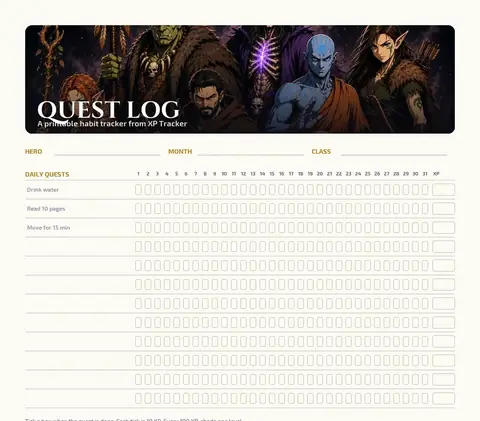
Yes. Print a grid with your habits filled in from the custom habit tracker maker, or download the designed printable Quest Log.
Related pages




Start your journey
Pick a class, do the day's quests, and watch your hero level up with you.
Start free on iPhone and Android.
Scan to install Point your phone camera at the code. iPhone opens the App Store, Android opens Google Play.